
TL;DR
Use no-code when the workflow is well understood, the platform supports the required permissions and integrations, and speed of learning matters more than a unique technical capability. Choose custom code when the product depends on complex rules, unusual interfaces, high-volume processing, deep integration or control the platform cannot provide. A hybrid is often strongest: use the platform for standard workflow and put distinctive or risky logic behind owned APIs. Decide with an exit plan, not only a prototype demo.
In this article
- Start with the workflow, not the builder
- Use no-code for standard, bounded workflows
- Choose custom code for a distinctive or hard boundary
- Use a hybrid when the boundary is clear
- Evaluate ownership and lock-in honestly
- Treat the prototype as a question, not the architecture
- Revisit the decision as the workflow changes
- Frequently Asked Questions
7 min read
No-code tools can turn a spreadsheet process into a working internal application quickly. Custom software can express unusual rules and ownership boundaries, but it asks the team to build and operate more. The decision becomes difficult when a convincing prototype hides the constraints that appear after adoption.
The useful question is when should you use no-code instead of custom code? Use it when the problem fits the platform’s standard capabilities and the organisation can accept its ownership, governance and operating model. Move to custom code when the constraint is central to the product or cannot be managed safely inside the platform.
Start with the workflow, not the builder
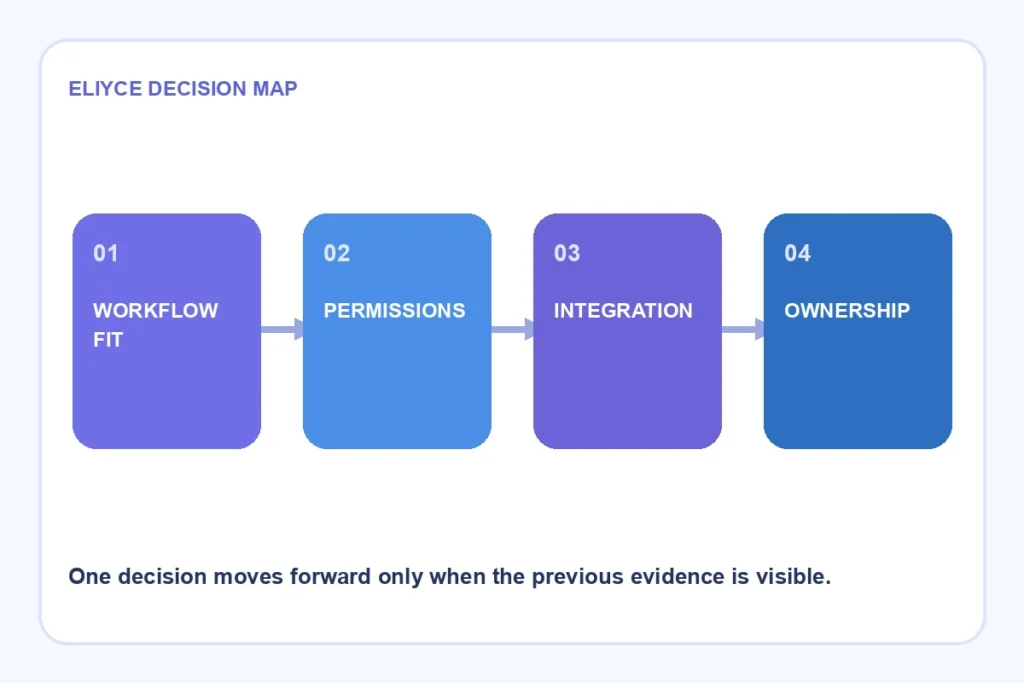
Write the process in plain terms before comparing tools. Name the users, decisions, data, permissions, integrations, expected volume and failure response. A simple form may feed a complex approval rule or regulated record, making the visible interface a poor measure of the solution.
Use a fit check:
- The workflow and exceptions are understood.
- Required data sources have supported, governable connectors.
- Permission and audit needs fit the platform.
- Expected volume and latency stay within documented limits.
- Someone owns environments, releases and support.
- Data and logic can be exported or replaced if the choice changes.
If several answers are unknown, build a time-boxed proof rather than committing the organisation through a polished demo.
Use no-code for standard, bounded workflows
No-code is strongest when the problem resembles what the platform already does: internal forms, approvals, straightforward data capture, notifications and workflows over supported systems. Domain experts can participate closely, and the team can learn whether the process is valuable before funding a larger build.
Google Cloud’s low-code and no-code comparison suggests considering who will build, integration needs and the long-term vision. It notes that internal-system integration and future complexity can require low-code or custom options.
No-code still needs software discipline. Use separate development and production environments where the platform supports them, control who can publish, test permission paths, record dependencies and define support. A visual builder does not remove lifecycle management.
Choose custom code for a distinctive or hard boundary
Custom code becomes more defensible when the capability differentiates the product, the rules are complex, the interface must be highly specific or the system handles demanding volume and reliability conditions. It also helps when the team needs control over data placement, deployment, testing or protocols the platform does not support.
Microsoft’s Power Platform modernisation guidance lists scenarios that need deeper evaluation: heavy client-side data, complex offline use, high-velocity data, complex background workloads and non-REST protocols. These are platform-specific examples, but they illustrate the broader check: compare the real workload with documented capability rather than a generic “no-code can scale” claim.
Custom code also creates responsibilities. The organisation owns security updates, hosting, observability, deployment and a larger testing surface. Do not choose it merely to avoid platform licensing or because engineers prefer code; compare total ownership over the expected life of the workflow.
Use a hybrid when the boundary is clear
The choice is not always binary. A no-code interface can manage standard forms and approvals while an owned API handles complex calculations, sensitive decisions or integration. The platform provides speed where its abstractions fit, and custom code protects the capability that needs control.
Comparison
| Need | Likely fit | Condition to verify |
|---|---|---|
| Internal approval over supported data | No-code | Permission, audit and environment governance |
| Customer-facing product with distinctive interaction | Custom code | Long-term product and operating capacity |
| Standard interface plus complex domain calculation | Hybrid | Stable API and clear ownership boundary |
| Short-lived experiment with low-risk data | No-code prototype | Exit date and no accidental production dependence |
| High-volume event processing | Custom or managed code service | Throughput, failure and observability evidence |
A hybrid can also be the worst of both worlds if every step crosses the boundary. Keep the interface narrow, version the contract and decide which system owns each piece of data.
Evaluate ownership and lock-in honestly
Every solution has lock-in. Custom software depends on languages, frameworks, cloud services and the people who understand them. No-code concentrates dependence in platform capabilities, pricing, export formats and connector behaviour.
Ask what can be exported: data, configuration, source representation, audit history and business logic. Test a small export and restore before adoption grows. Read current licensing and service limits because they change; record the date and assumptions in the decision.
Lock-in is acceptable when the benefit is worth it and an exit is understood. It becomes dangerous when a team discovers after adoption that critical logic cannot be tested independently, moved or operated during a platform outage.
Treat the prototype as a question, not the architecture
A prototype answers whether users understand the workflow and whether the platform can express the happy path. It does not prove production permissions, integration failure, support load or long-term cost.
Define what the trial must learn:
- Build one complete, representative workflow rather than several screens.
- Include a real permission boundary and one integration failure.
- Test with representative data volume and user roles.
- Record platform gaps, custom workarounds and support needs.
- Decide to adopt, use a hybrid, build custom or stop.
Do not keep extending a failed fit through increasingly fragile workarounds. The accumulated workaround cost is evidence that the boundary should move.

Revisit the decision as the workflow changes
A good no-code choice can become a poor fit after volume, users or regulation changes. A custom build can become unnecessary when a platform adds the required capability. Review the decision at concrete triggers: a new integration, external users, sensitive data, material licence change, persistent performance issue or repeated workaround.
The article on measuring technical debt helps track the cost of workarounds without inventing a universal score. Build with us is the appropriate next step when a workflow needs owned custom software and reviewable delivery.
The best decision keeps standard work standard and protects the part that makes the product or operation distinctive. Make the exit as deliberate as the entry, and the team can learn quickly without turning a prototype into an accidental permanent system.
Include support work in the comparison. A no-code application may let a business team change forms directly, which can reduce an engineering queue. It can also create many lightly governed applications that central IT must secure and recover. Custom software concentrates technical ownership but may make every small workflow change wait for developers. Choose the operating responsibility the organisation can actually sustain.
Accessibility and user experience deserve an early check as well. Standard components may provide a solid baseline, yet a specialised workflow can require interaction the platform cannot express. Test with the real user roles and devices before assuming that a working screen is an acceptable product.
Frequently Asked Questions
When should you use no-code instead of custom code?
Use no-code when the workflow is standard and understood, required integrations and permissions are supported, and the platform’s operating model is acceptable. Choose custom code when distinctive logic, control or workload requirements exceed that fit.
When does a no-code tool stop being enough?
It stops being enough when important requirements depend on fragile workarounds, unsupported protocols, complex rules, demanding data volume, unusual offline behaviour or control the platform cannot provide. Repeated exceptions are stronger evidence than interface complexity alone.
Is no-code suitable for production systems?
Yes, when the platform supports the workload, security, audit, lifecycle and recovery needs and the organisation governs it properly. Production suitability depends on the exact system and platform, not on the no-code label.
How do you avoid vendor lock-in with no-code?
Understand and test exports for data and configuration, keep distinctive logic behind owned interfaces where appropriate, document dependencies and define migration triggers. You cannot remove all lock-in, but you can make it visible and bounded.
When is a hybrid no-code and custom approach useful?
Use a hybrid when standard forms and workflow fit the platform but complex or sensitive logic needs an owned API. It works best with a narrow versioned contract and clear data ownership, rather than constant back-and-forth calls.
Should a startup prototype with no-code first?
It can be useful when the prototype tests a real workflow with low-risk data and a defined learning goal. Include at least one permission and failure path, then decide deliberately. Do not treat a successful happy-path demo as proof of the final architecture.